Saturday, 13 October 2012

Having a go at My Brainshark

I've been meaning to try this for ages and I am doing a presentation shortly so I thought I would trial my Brainshark with some of my own photos. We had a fabulous holiday and i would thoroughly recommend this company if you get to Port Douglas for your reef trip!

However my main point is that you can use this site for adding commentary to any documents, powerpoint or photoshow and I think it has great potential for inspiring better presentations by our pupils, as well as enlivening materials we put together. I might be tempted by the pro version in order to refine security, notifications and so on.

Have a watch!


Forgive the amateur commentary but I set myself the task of recording really fast with no script, just to see how manageable it was. I am impressed at how feasible it is to make a good -looking presentation and I will be able to set my pupils a more interesting way of preparing their work. 

Wednesday, 11 July 2012

Presenting for colleagues

I was pleased to have the chance to put together some ideas for colleagues at school recently - I must admit - with a little trepidation - it's not easy presenting to teachers, I think. Well, I did the presentation and enjoyed presenting and sharing. So I tried to present my journey, my inspiration for the engagement with "Web 2 tools" - soooo 2005! according to my techie son - I'll have to change the terminology.
I have learned a lot from the MFL Twitterati, who share so well and also from the MFL ICT conferences which have been excellent.
It was pleasing to get positive reactions from my colleagues in other departments so I put my presentation on slideshare and found that many people enjoyed discovering slideshare also! I was grateful for this positive feedback and encouragement - I am nowhere compared to the speakers I watch in my turn, but there are still many professionals working away on their own, needing support and feeding with new ideas, grateful for a bit of something new or a reminder of something they have forgotten. Here's my presentation - simple but a reasonable starting point, which won't overload.

Wednesday, 13 June 2012

Livebinder for teachers

I just found this link on Twitter the other day and was delighted with the fabulous comprehensive content. Maybe you are very familiar with this guy, but I thought the link was worth investigating in detail. Great stuff Tim and thank you for such a brilliant overview of the tools available for teachers in such a good filing system! Tim lists hundreds of tools in types within his filing system. I particularly want to try more of the curation tools - livebinder, symbaloo, pinterest, linoit,- museumbox looked good for History teachers.

http://www.livebinders.com/play/play_or_edit/365641


Sunday, 27 May 2012

Mind your shoulders!

I have been a bit quiet for some time - I am a Head of Department and I find it very hard to make as much time as I would like for writing my own posts, doing the business of reflection, sharing new materials or just writing about the stuff I do in class with ordinary kids, day to day. Like most teachers, I live with guilt about it too!
However any computer activity has had to be curtailed as I found that I was getting RSI in my right shoulder and mouse hand.
Very common apparently - physios deal with lots of us and the modern world is causing a lot of shoulder injury.

To look after yourself - always stretch your shoulders regularly. Keep your shoulders down and back, keep your neck moving and try to keep the mouse nearer to your body for example.
If you use a laptop, get a stand, buy a separate keyboard and mouse and use them at the correct height for you - you need to be looking straight at the screen at eye level.

You need to get the levels of inflammation down and then do exercises to build up upper body strength too, which can be problematic for women of a certain age also! See your doctor and don't ignore your aching shoulder! All for now, before I set it off again.

Saturday, 8 October 2011

A level Environment topic - a song to use

What's the weather outlook for humankind? Ask GCM - Grand Corps Malade,  His "Bulletin Météo" was enjoyed by my Year 13s recently as a change from the more solid approaches of text book or articles from the Web. I love his style and way with words, so it's win/win.


For what it's worth, here is how I used the song.
  • Lead in to the idea of using a weather forecast as a metaphor for the future prospects of something - French equivalent of "outlook bleak", or " clear periods with storms on the horizon"
  • Play the song Bulletin Meteo to class and ask them simply to try to note down any weather related words they hear. They can find 10 or so by the second time through, I found. 
  • Next, they should try to note down the rhyming words at the ends of sentences. Challenging but fun. Very interesting to see the kids comparing their findings and misheard attempts - they learned a lot from this about the sound/spelling link like claire et nette NOT clarinette!
  • Next, let them see the text - I found it easily on the web. They highlight the weather words, look for cognates and we worked on the text to see if we felt GCM was positive or negative about the future for mankind, from the language he used. 
  • Next for fun we read through it all with GCM trying to match his speed! What a good exercise for trying to improve your mouth muscles in French! 
  • We worked through the meaning of the text in groups of lines with a lot of help from me. I left it there with a final hearing of the song but wonder if I could be brave enough to get a talented class like this to write a forecast next.
It's not an easy text and as usual I wrestle also with exact meaning in places as a non native, but I think it's worth helping pupils to see that real songs will not always be fully understandable, certainly on the first meeting with the material, but that with effort you can get a lot from it. 
By the way GCM is positive about a future for humankind IF we change our ways - Hmmmm. On va voir.

Monday, 13 June 2011

Why I like Twitter

I sometimes feel the need to apologise for looking as if I am a complete nerd - " You like Twitter??" - include the tone of incredulity for full effect, along with the raised eyebrows. Well, yes, I have found it to be the single most important thing I have learned to use over the last couple of years.
1. It allows you to follow other like-minded people or more talented people than yourself
2. it allows you to ask loads of questions of an intelligent audience
3. you keep up to date in a wide range of fields more easily
4. you get amazing links for teaching and educational developments.
5. it breaks down the isolation of the classroom
6. you make new friends - I have met a lot of Twitterati in "real" life too and you actually do know them a bit better!
7. If you ask the right group of people, you get superb advice/ideas back again.
8. Instant support - sorry you're ill, I've had a hard day too, tricky kids, demands getting too much etc - we all need a listening ear for our mental health and Twitter actually fulfils that role.
9. You can create your own source of Prof development or PLN - personal learning network. I certainly learn from the people I know and hope that I manage to contribute back sometimes.
I loved Phil Beadle's remark that following the conversation of bright Twitterers was like a shot of mental expresso - he's so right.
Join up and go to the Twitter account of one of the MFL Twitterati, then start to follow a good number of twitterers - choose people who give a proper account of themselves - anonymity is not recommended etiquette for educators. Start to follow conversation and pluck up the courage to join in.
Bonne chance - @froggyval

Monday, 2 May 2011

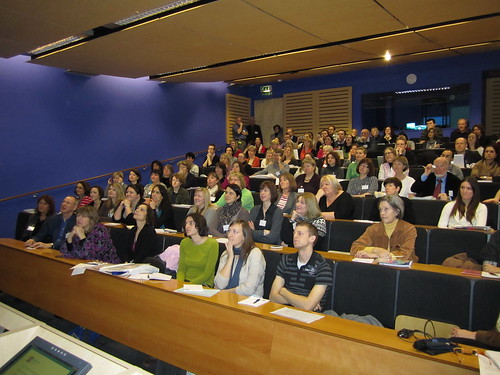
The Southampton ICT conference - worth a weekend?

February 2011 Southampton - Linksintolanguages MFL ICT conference - Well, absolutely. For many reasons.


1. Although it was a weekend conference and took away from my home time, as the indefatigable Isabelle Jones says, it was "professional ME time".
2. I met loads of other MFL Twitterers who are a terrific bunch.There is a new phenomenon around when meeting people. First you introduce yourself and then you give your Twitter name and suddenly an extra lightbulb flashes on - "Ohhhh! You're so and so!!!" - it really does add an extra dimension to friendships.
3. Fabulous plenaries, excellent seminars, very good speakers, generous exhibitors and great surroundings. Oh and good food.
4. Plenty of DIFFERENTIATED CPD for all. All seminars were graded for IT skills required - very good to see and I wish more CPD providers would do this.
5. It was serious, thought-provoking, challenging and also fun.
6. Highly motivated teachers are great to learn from and encourage the rest of us not to be shy.

All seminars and Plenary keynote sessions are covered here on Joe Dale's site. Have a look and follow up some leads - they are tremendous and I will certainly try to go again next year and a big thank you to all who organised such a good event.